Give terminal apps room to breathe.
HTTY lets command-line programs keep their TTY superpowers while exposing web-quality UI for layout, media, interaction, and application state.
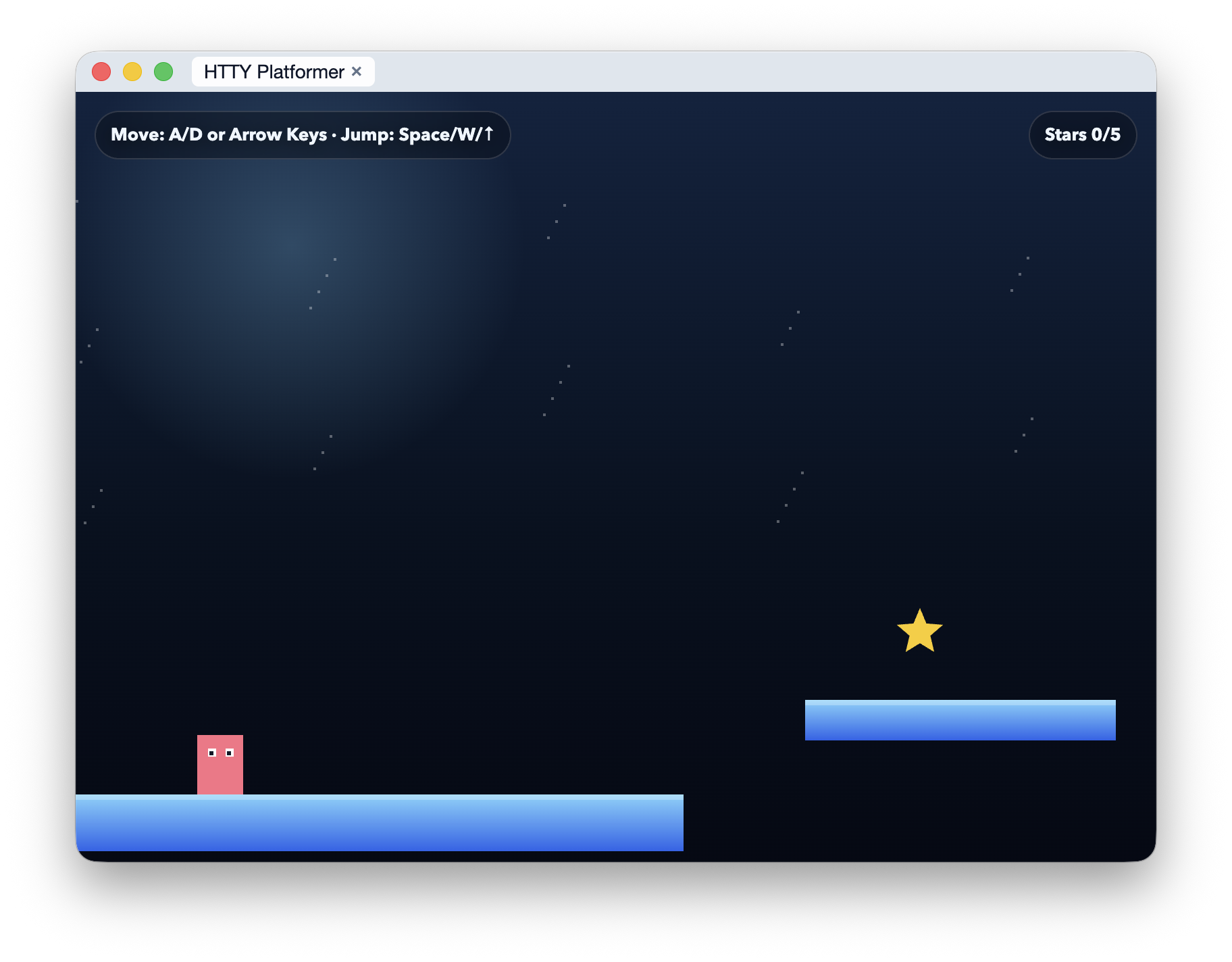
Chimera is the desktop terminal emulator for that stack: it runs ordinary commands, detects HTTY bootstrap, and opens attached browser surfaces beside the terminal session.
How it works
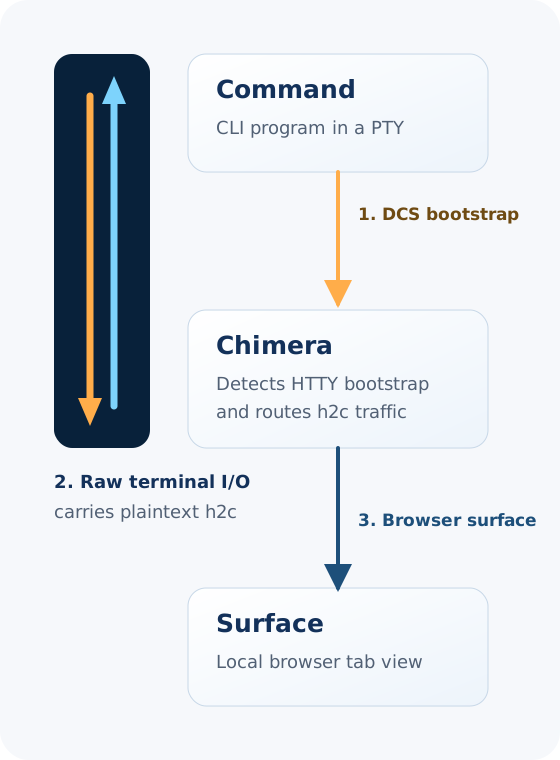
HTTY starts with a small terminal control sequence. The command emits a DCS bootstrap message, and Chimera uses it to recognize that the process wants to attach an application surface.
After that bootstrap, the session switches to raw terminal I/O. Chimera and the command exchange plaintext HTTP/2 (h2c) over the same byte stream, while Chimera presents responses as local browser tabs.
Because h2c provides multiplexed, bidirectional streams, the attached app can move requests, responses, events, and assets over any TTY transport, including local shells and remote SSH sessions.
Core Specifications
protocol-htty defines the terminal bootstrap that uses DCS to negotiate an attached session.
protocol-http2 provides the HTTP/2 wire semantics that HTTY carries as plaintext h2c over raw terminal I/O after bootstrap.
Ruby Integration
async-htty adapts HTTY streams into Async-compatible HTTP/2 connections so Ruby applications can expose middleware over a terminal session.
This is the layer that connects transport framing to request and response handling.
JavaScript Runtime
@socketry/htty implements HTTY transport, client, and server primitives for Node.js and browser-adjacent tooling.
It currently powers the demo sessions and end-to-end flows used by Chimera.
Terminal Emulator
Chimera is the browser-like terminal environment that turns HTTY packets into attached surfaces and tabbed session views.
It demonstrates the user experience HTTY is designed to unlock.